
The Amazon Ads Setup Stress-Test
September 25, 2025 8 min read Sebastian Eduard

Pinpoint the Goldilocks Bid & Budget Zone for Each Keyword Most Amazon Ads managers stop optimizing when a keyword or campaign has good results, usually when it's within target ACoS. What the pros ask themselves is: "Precisely what bid and budget gets me the best combination of sales, ranking juice and most optimal Net Profit results?" And that's what we're going to find out below.
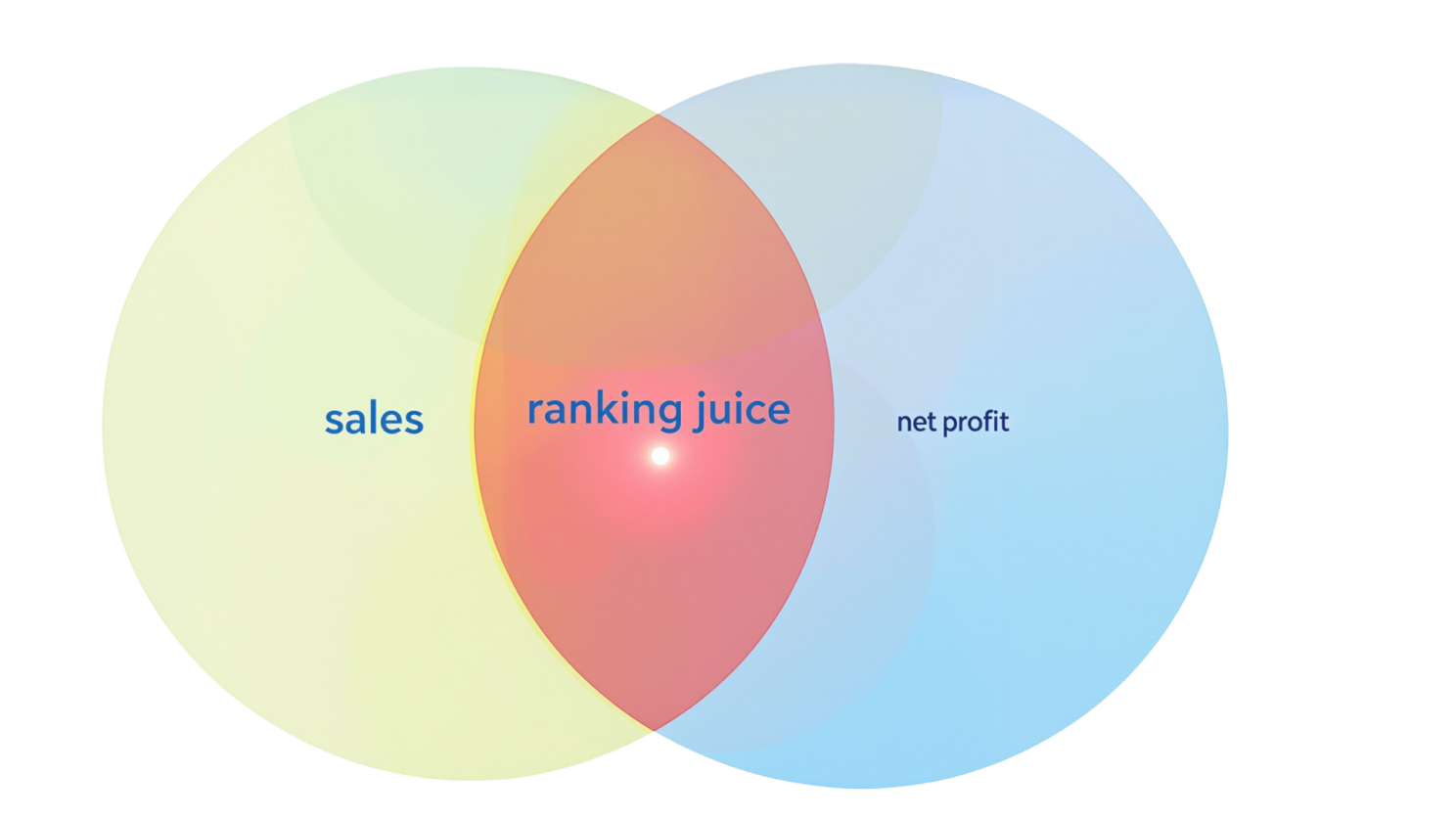
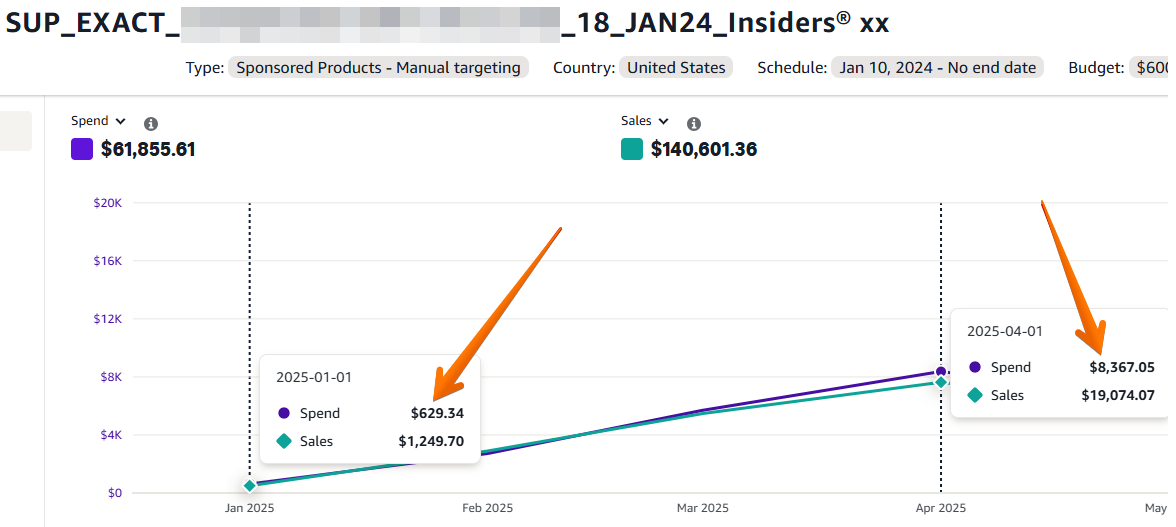
After your PPC setup is fully matured, we use the first low traffic season to push bids and budgets to extreme levels, with the purpose to determine PRECISELY the best bid/budget for this asset. During the stress-test interval most keywords end up with 2 to 15x bids by the end of this process, and often a minimum campaign budget of $1000.
The goal is to arrive at a Cruising Altitude, where we know how the market swings impacts our metrics and navigate each period at the most optimal point. Without it we leave money on the table and miss market-share opportunities.

Prepare
To start the process we need to prepare:
- Test Budget: Ad spend tends to be just 50% higher than normal.
- Inventory: At least 2x the current velocity.
- Timeframe: Pick the best low season for each parent ASIN to stress test, so we pay the least for our data.

Metrics to track
- CPC
- PPC CVR
- PPC CTR
- Sales: PPC, Organic & Total
- Rank: Organic & Sponsored
- ACoS % per bid level
- Net Profit per day
Campaign types included
- Sponsored Products: All exact match
- Research Campaigns: Only vetted ones that have been properly negated, Broad, phrase or auto campaign etc.
- Product targeting: Never higher than Break Even ACoS%, as they don't provide ranking benefits, Product Attribution, Category Targeting, Retargeting etc.
How To
The test should last between 2 weeks & 6 months. Your week has patterns: On average Mon-Thursday is lower & Fri-Sunday is higher sales volume and CVR.
- Week one, Monday: Increase bid by 25% & budget with 50%.
- Week one, Friday: review all Mon-Wed metrics and increase again.
- Week two, Monday: Consider Fri & Sat... and so on.
When do I know it's done?
- You've reached the bid or budget ceiling when increasing it doesn't push sales or ranks.
- Combination of negative metrics: ACoS is 400%, no rank increase, higher CPC & lower sales.
At this point, allow One More Week at the same bid & budget level.
Once there, decelerate to the goldilocks level at the same rate you increased, so you don't shock the algo and also allow accurate sales allocation.
Be sure about the reason or metric that triggered the pull-back. Don't overreact. Know your thresholds & work on benchmarks, not emotion.
What to expect
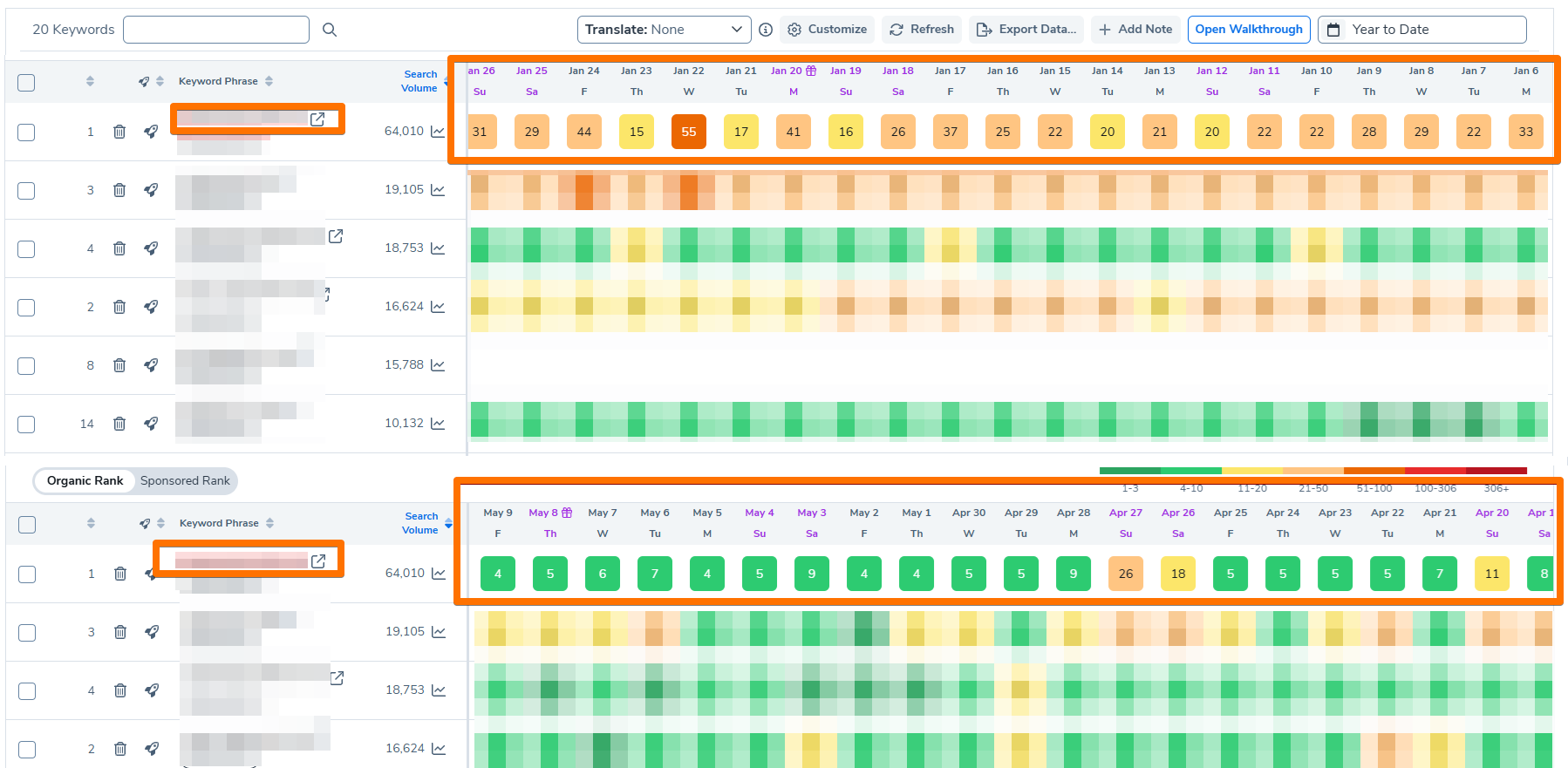
First 2 weeks you won't see the compounded results: Keywords need time to rank, sales allocation... etc. This is why the test is a 2-week minimum.
The more you progress with finding the goldilocks for each asset, you will reach the account's INFLEXION POINT.
This is where More Ad Spend, starts giving you less Net Profit. Finish gathering your data, and slowly move back in spend by lowering bids at the most optimal point.

Process the Results
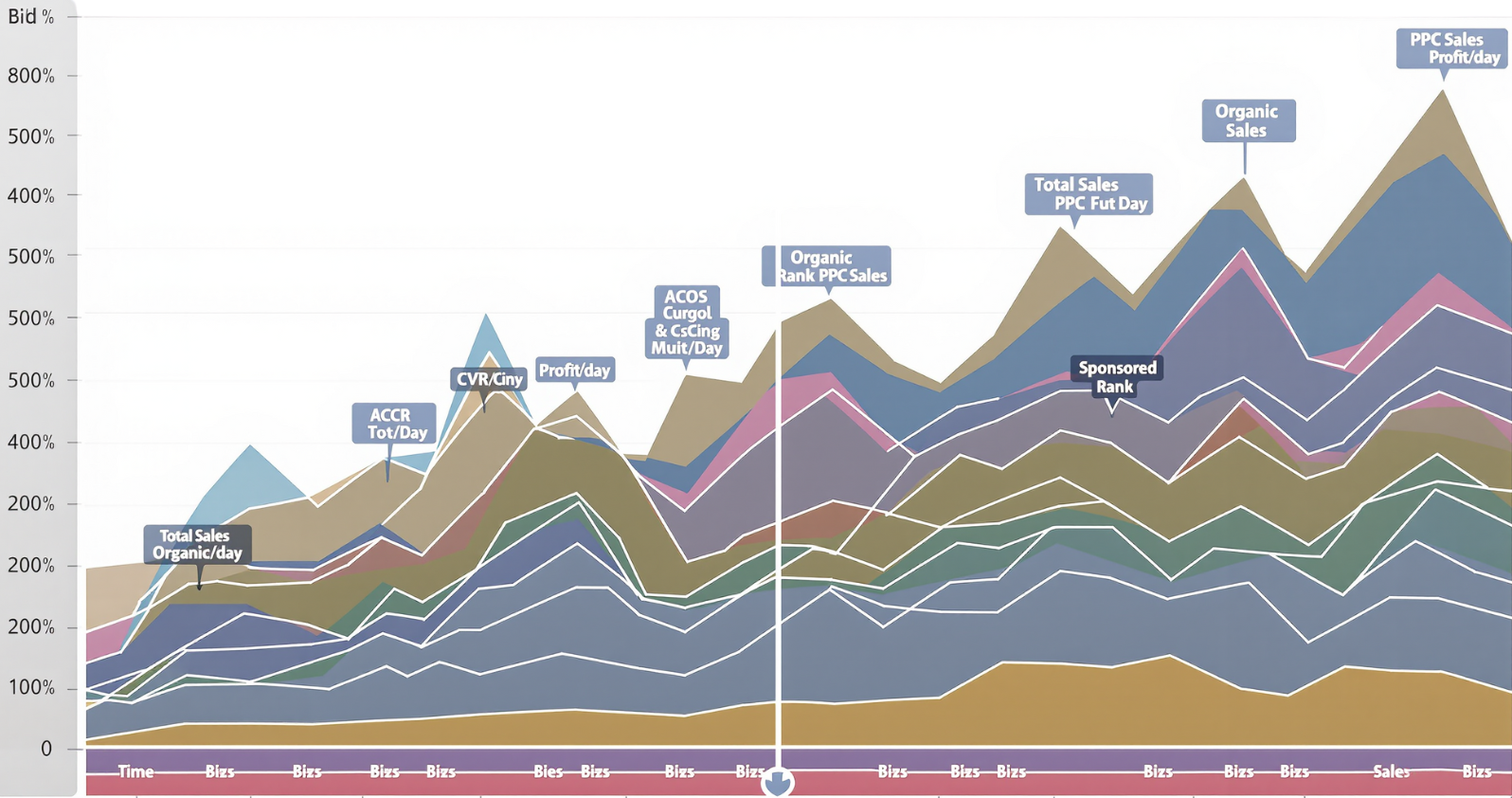
Create a database per keyword for all important KPIs per day for each important metric. Find the 1 instance in this chart/metric combination with the: most sales, best ranking juice and highest net profit day. They're almost never obvious, but after the first 2-3 keywords you'll get better at it.
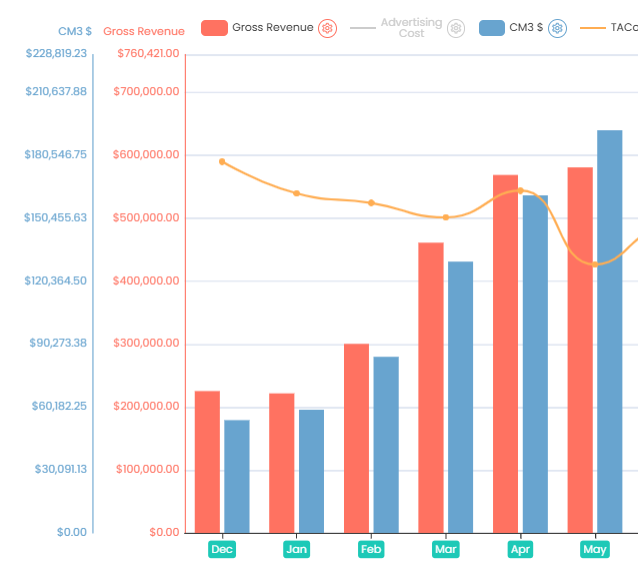
A dynamic graph where you see at each time-stamp all KPIs at a glance will work best.
Keep in mind
- Seasonality: If at a keyword's 10,000 SVR you sold 10 units/kw per day for 1 week to get to rank #1, at SVR 30,000 in high season you'll need 3x that.
- Conversion Rate: ACoS performance is directly proportional. If a 10% CVR KW is now at 50% ACoS, it will run great during Christmas when CVR is 2-3x!
Realistic Keyword Scenarios
Keyword A: Can bring a lot of sales, but after $5 bid, ACoS% goes from 50% to 85% immediately. In the $3-5 range it can bring 4-6x sales than in the $1-3 range. So it would do great in high CVR seasons such as: Prime Day, Black Friday, Christmas... etc.
Keyword B: Needed just 50% bid increase to get to Page 1. Even at a 50% ACoS it brings organic traffic that will push TACoS down and profits up.
Keyword C: Highly competitive. Higher bid triggers competitor CPC battles for top sponsored places. Will stay below the fold, where I can stomach 35% ACoS that also helps my organic.
Keyword D: 3x'd the ad spend on this Auto campaign with 5x the sales at a very similar cost. Found the bid inflexion point where ACoS jumped from 22% to 40%. Went back just $0.2, allowing only profitable traffic in as it's well negated.
Rename campaign based on performance data
Use metric combinations with intervals and abbreviations based on your campaign objectives:
- _15-20%CVR
- _3xSALES@50%ACOS
- _35%ACoS@8%CVR
- _RANK#1-10US/DAY ...etc
Build your own annotation slowly by analyzing the data.
The Goal
This data enables strategic PPC decisions during Cruising Altitude
- Keyword Intelligence: Know which keywords can reach page 1, required daily velocity, and costs. Crucial for pre-high-velocity boosts when competitors panic and lower bids.
- High-Performance Assets: Identify keywords delivering maximum sales with high bids/budgets during peak velocity and conversion periods, while avoiding fierce competition assets.
- Low inventory: Target assets with highest sales at lowest ad costs, regardless of market depth.
- Low margins: Run only high-profit-margin performers exclusively, keeping others at minimum viable bids.
Conclusion
Knowing each keyword's bid/budget floor & ceiling we can forecast market swings and react accordingly.
After account maturation & stress-testing you can just upload your research to an AI. Set triggers to take the proper actions depending on the seasonality of your ASIN.
At Insiders we see this as MANDATORY for a smooth operating account thereafter.
For most accounts we run very successfully, the main keywords run at almost 2x the average account ACoS, because they feed the organic side, keeping the rank up.
It is funny how more ad spend lowers TACoS because it pushes up the organic ranking that brings in more organic sales. This can only be done once your Amazon Ads setup is matured.
Watch the Full Presentation

Sebastian Eduard
With over a decade of experience as an Amazon Seller and a consultant at heart, my mission through Insiders® is to deliver outstanding Amazon PPC Management, built on the respect and transparency I once sought during my own seller journey. The 50+ brands that entrusted us with +$65M Ad Spend, received $280M in Ad Sales and +$585M Total Revenue.